Welcome to My Aadhaar UIDAI Portal Guide
Aadhaar Card Status Check Online 2026 – Enrolment & Update Status
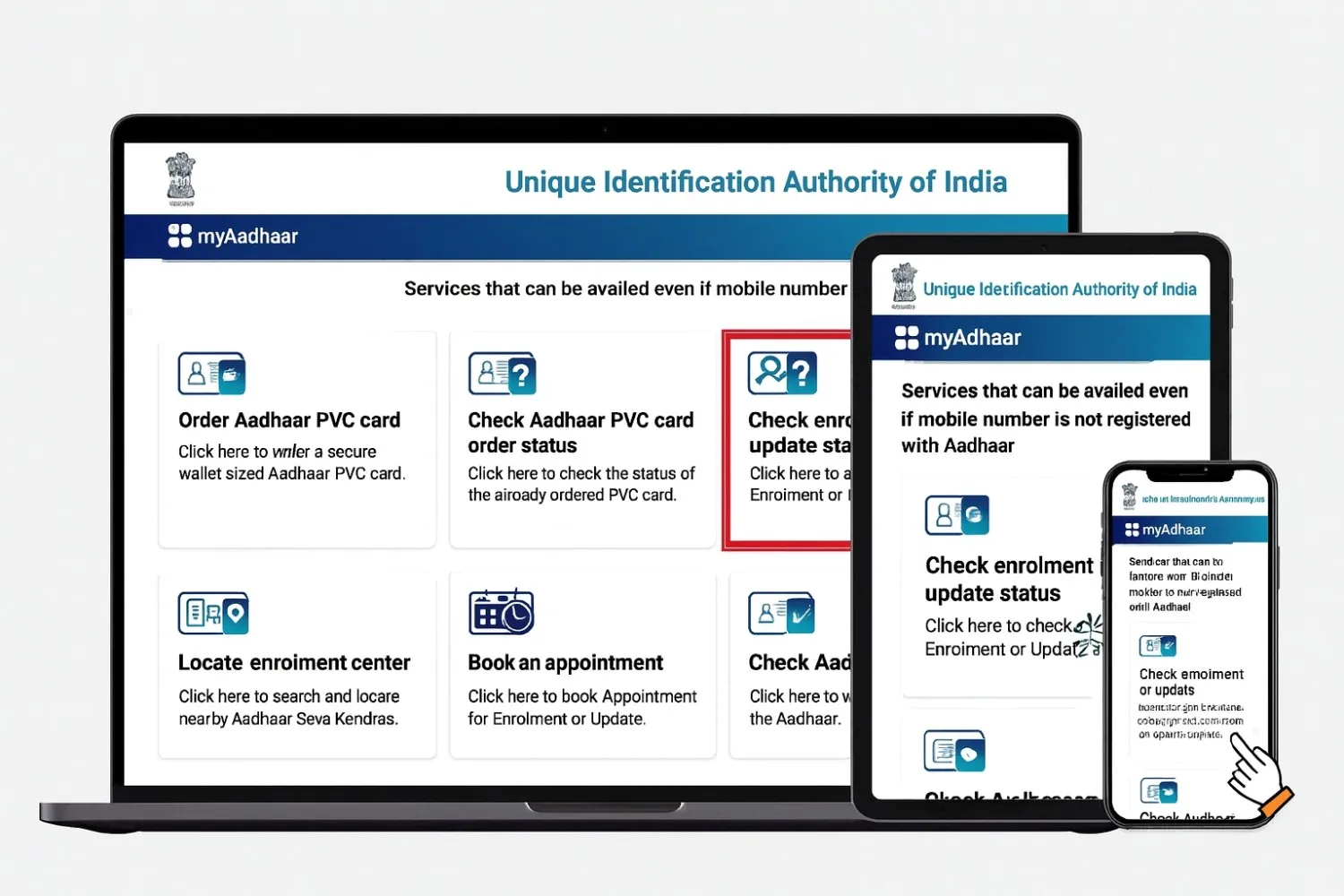
Checking your Aadhaar card status is essential to ensure your ID details are accurate and active for banking, subsidy, SIM verification, and government services. Whether you have recently enrolled or updated your Aadhaar details, you can track the status online using official UIDAI services in real time.
This guide explains how to check Aadhaar enrolment status, update status, required details (EID/URN), processing timelines, and troubleshooting options.
Aadhaar Enrollment & Update Status (Track Online)
Track Aadhaar enrollment and update status in real time through UIDAI services.
Enrollment Status for Aadhaar
After enrolling at an Aadhaar Seva Kendra (ASK) or Permanent Enrollment Centre (PEC), you will receive a 28-digit Enrollment ID (EID) on your acknowledgement slip. This ID is used to confirm whether your Aadhaar number has been generated or is still in processing.
As per the official UIDAI timeline, Aadhaar enrollment status is usually processed within 10–90 days depending on verification and workload.
Aadhaar Card Update Status
When you update Aadhaar details—such as address, name, mobile number, email, or biometrics—you receive a 14-digit Update Request Number (URN) or an EID for center-based updates.
Checking the Aadhaar card update status verifies whether your changes are accepted, pending, or completed.
Normally, demographic updates are processed within 10–30 days, while some verifications may take up to 90 days based on case type.
All Aadhaar enrollment and update tracking services are free of cost, and UIDAI provides multiple official platforms to check your Aadhaar status easily.
Prerequisites for Aadhaar Card Status Check
For checking your Aadhaar enrollment or update status, you will need the following:
- 28-digit Enrollment ID (EID): A 14-digit enrollment number + 14-digit date & time stamp
- 14-digit Update Request Number (URN): Required for Aadhaar updates (if applicable)
- 12-digit Aadhaar Number: Useful if EID/URN is not available
- Registered Mobile Number: Linked to your Aadhaar for OTP verification (important for Aadhaar mobile number check)
- Acknowledgement Slip: Required for URN/EID reference
If you don’t have a registered mobile number, acknowledgement slip, or EID/URN, UIDAI still provides alternative methods to check Aadhaar status or download e-Aadhaar. These options are explained later in this guide.
Aadhaar Card Status Check: Enrollment & Update
After you have enrolled for Aadhaar you can use the Aadhaar card check methods below to see whether your Aadhaar number has been generated or not.
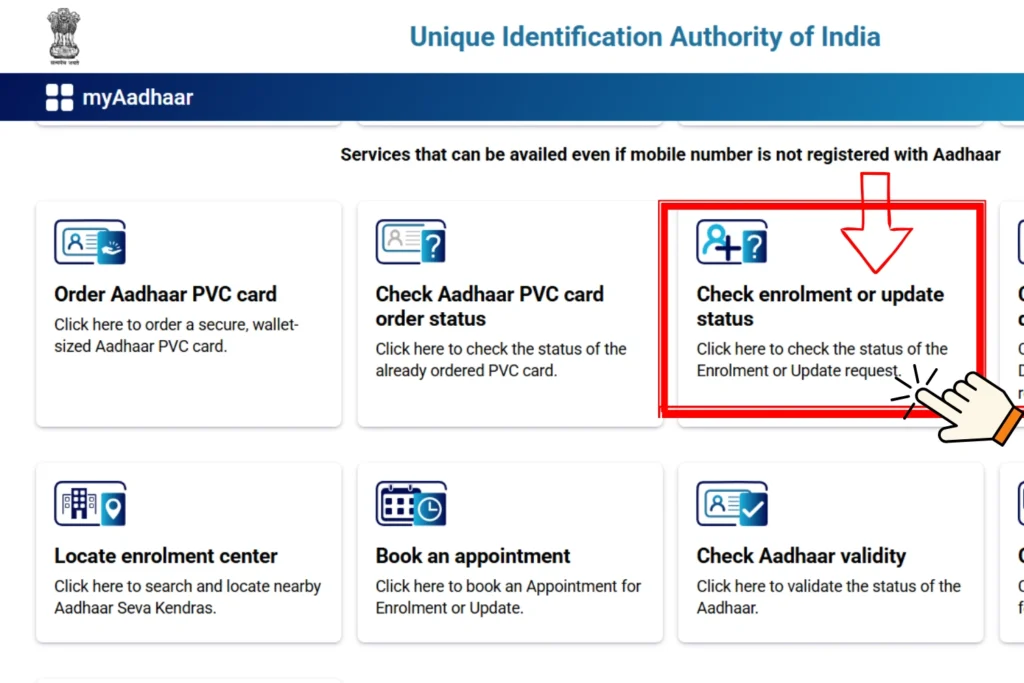
1) myAadhaar Portal (Check Aadhaar Status Online)
This is one of the most used platforms to check or update Aadhaar enrollment status in real time. The portal helps you track Aadhaar card status officially with your URN or EID.
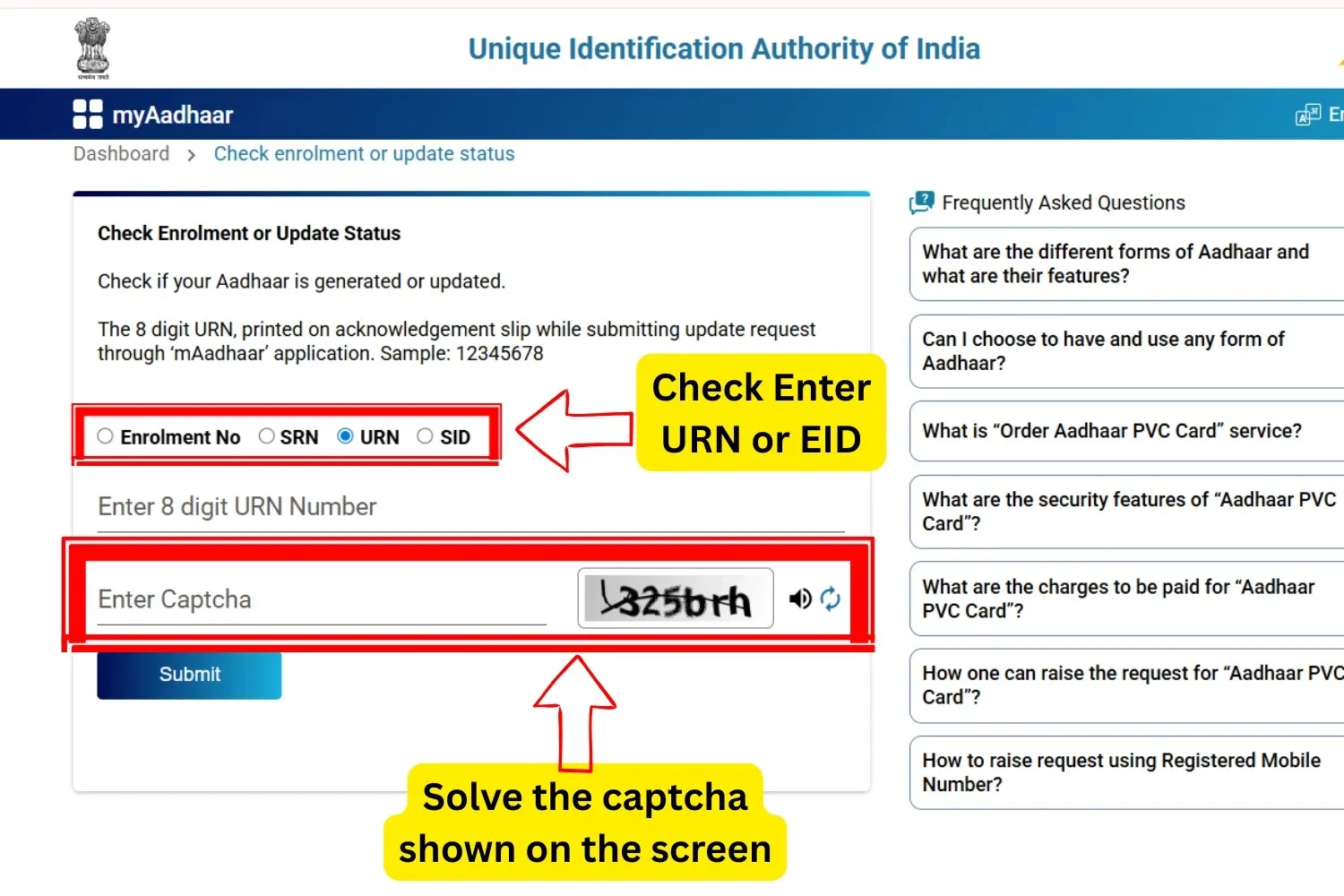
What You May See on Screen
You can receive real-time results such as:
- Under Processing
- Pending Verification
- Aadhaar Generated
- Update Accepted or Rejected
Processing Time
You will receive an SMS or email once your Aadhaar is generated or updated. The overall processing time usually takes 10–90 days depending on verification and document validation.
All Aadhaar tracking services through the myAadhaar portal are free of cost.
2) mAadhaar App (Track Aadhaar Status on Mobile)
You can perform an Aadhaar card status check by downloading the official mAadhaar app from Google Play Store or Apple App Store according to your device.
Steps to Check Status:
- Download and install the mAadhaar app on your mobile phone.
- Open the app and choose your preferred language.
- Go to “Enrollment & Update Status” from the main menu.
- Enter your 28-digit Enrollment ID (EID) or URN (if updated).
- Solve the captcha for verification.
- Click on “Check Status” to see the current progress.
What Happens If Aadhaar Is Generated
Why mAadhaar Is Better
The mAadhaar app offers:
- Real-time Aadhaar status tracking
- Secure mobile login (OTP/TOTP)
- Instant e-Aadhaar download
- Aadhaar profile viewing inside the app
- Faster access without opening a website
All services are free of cost, and the app provides a convenient, mobile-friendly way to check Aadhaar enrollment or update status anytime.
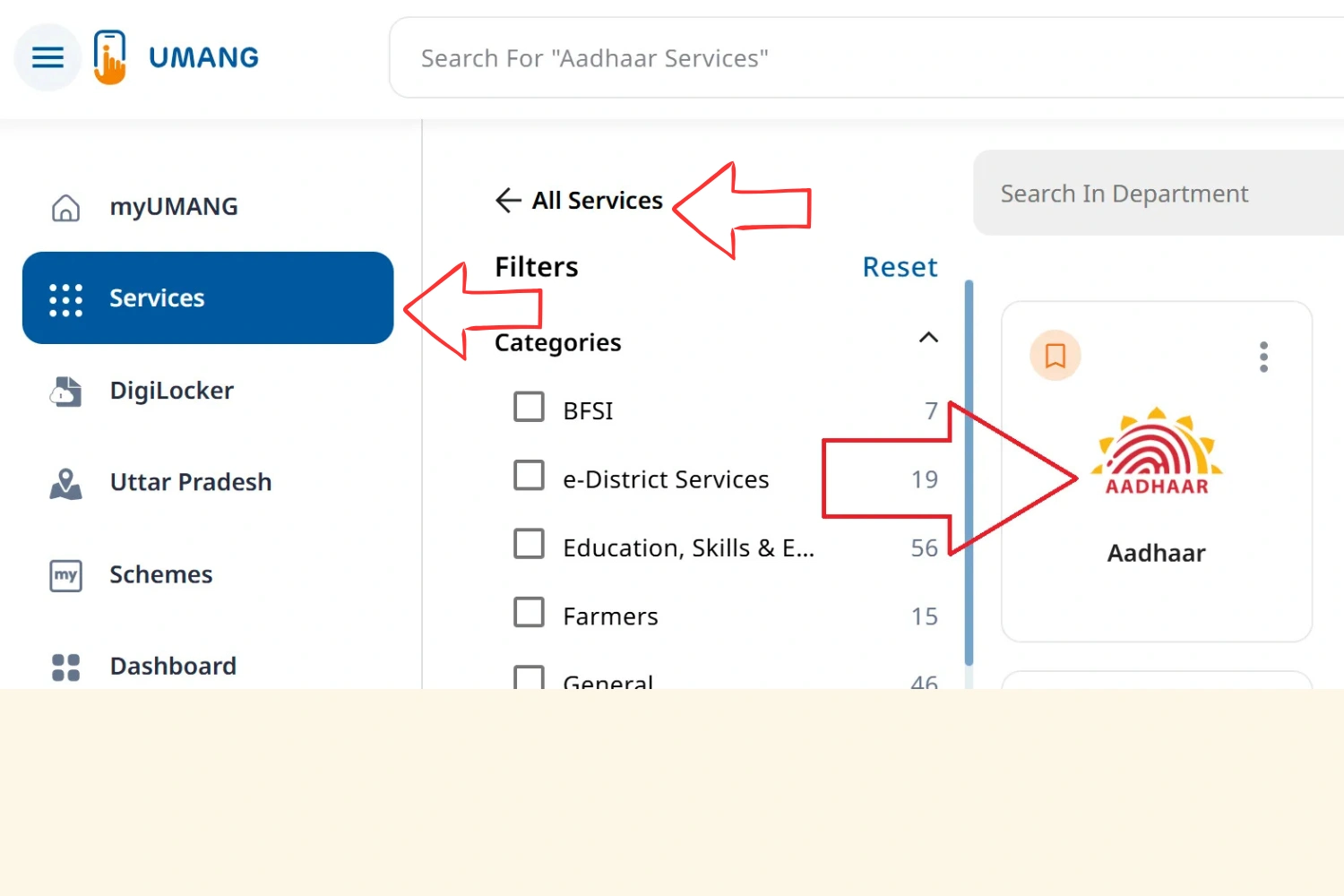
3) UMANG App (Government Platform for Aadhaar Services)
The UMANG app is a government-integrated platform that offers Aadhaar services along with other citizen services. It allows you to securely check Aadhaar enrollment or update status in real time and download e-Aadhaar after OTP verification.
Steps to Check Aadhaar Status Using UMANG:
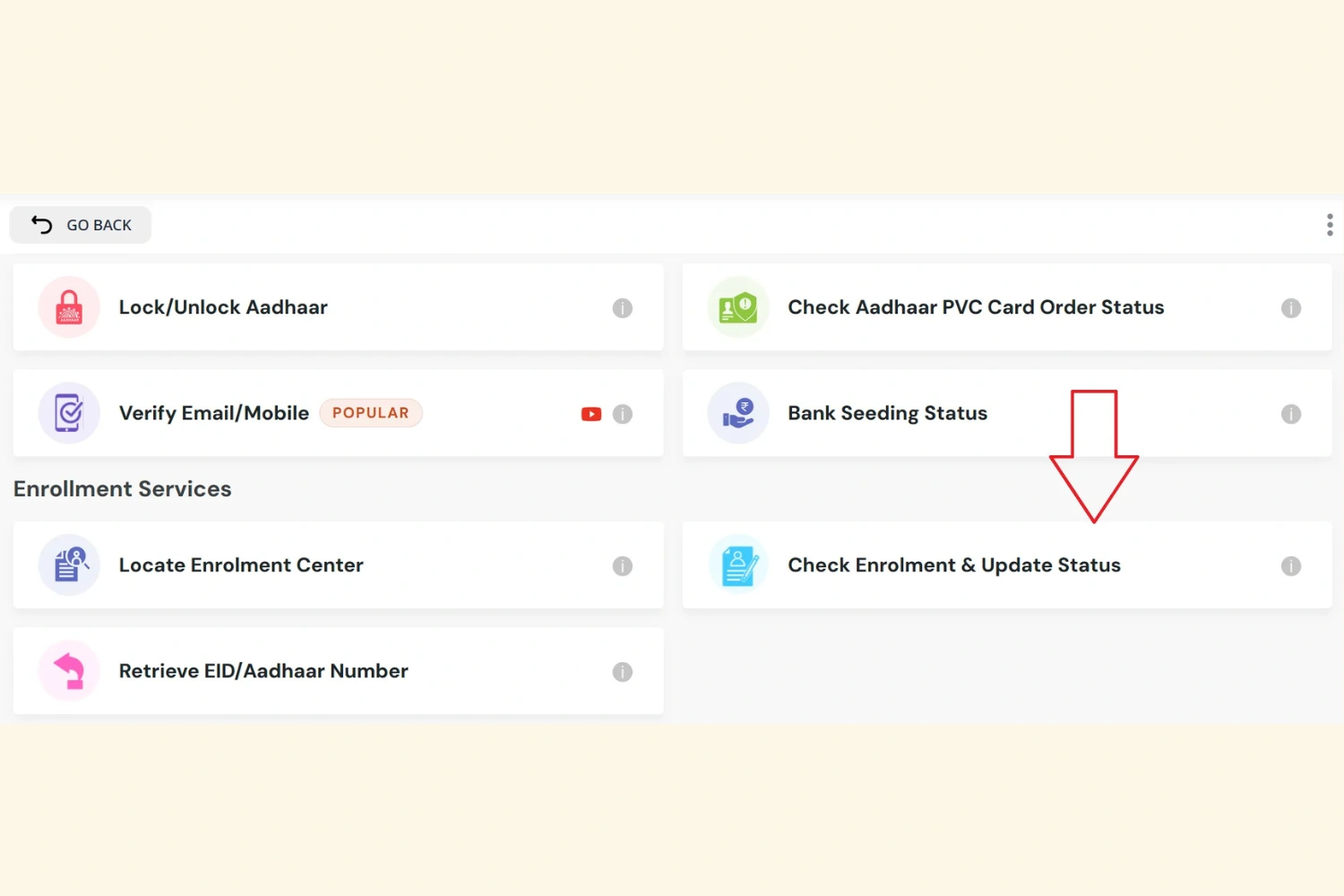
After Aadhaar Is Generated
Why UMANG Is Useful
- Government platform with built-in Aadhaar services
- Real-time enrollment and update tracking
- Secure OTP-based login with Aadhaar data access
- e-Aadhaar download without opening any external website
- Convenient mobile and web access, anytime and anywhere
All Aadhaar services inside UMANG are free of cost and designed for secure Aadhaar status checks.
4) Using Toll-Free Number (UIDAI IVR Support for Aadhaar Status)
You can check Aadhaar enrollment or update status by dialing the official UIDAI toll-free number 1947 from your registered mobile number. The call is processed through an Interactive Voice Response (IVR) system.
How to Check Status via Toll-Free Number:
- Dial 1947 from your registered mobile number.
- Follow the IVR instructions and press 1 to select the enrollment & update status option.
- When asked, enter your Enrollment ID (EID) using your phone keypad.
- The IVR system will instantly announce your current Aadhaar card status, such as under processing or generated.
Always keep your acknowledgement slip with you to provide URN/SRN/EID when required.
Lost URN or EID – Retrieve Easily
If you have lost your acknowledgement slip, follow these steps to recover your EID or Aadhaar number:
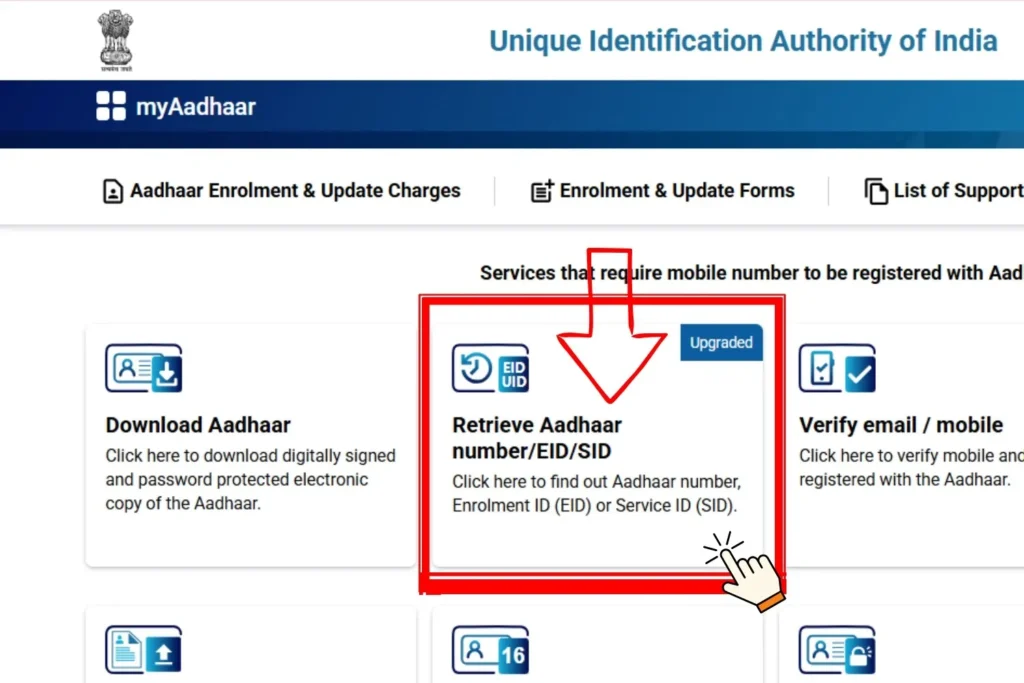
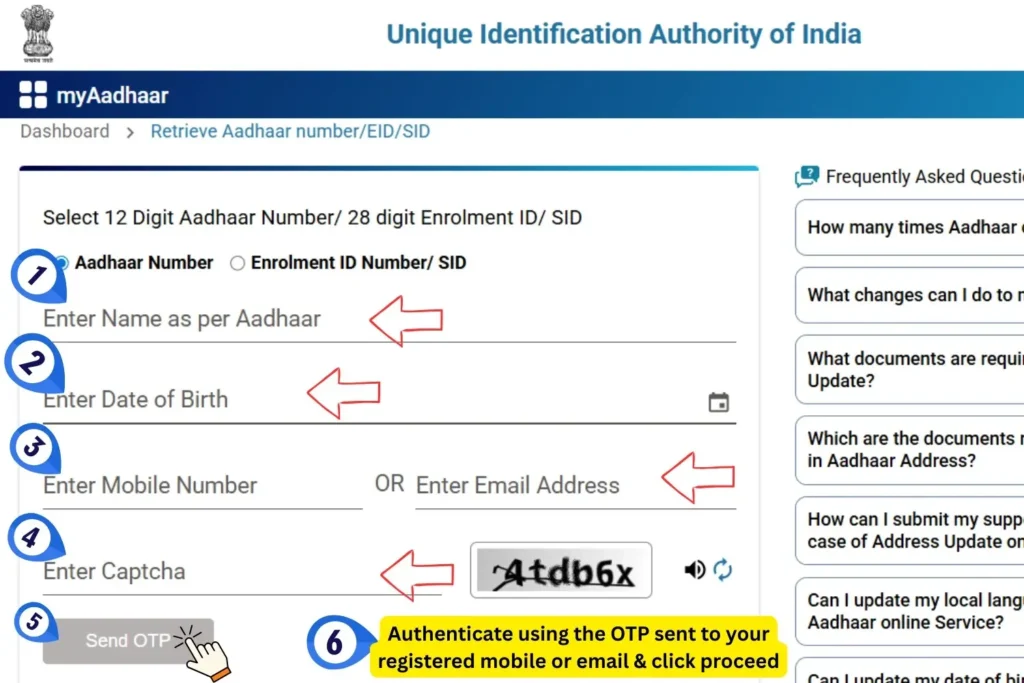
Once retrieved, you can use your EID to check Aadhaar status via IVR or download e-Aadhaar from UIDAI services.
Why This Method Is Useful
- Official UIDAI toll-free support
- Secure IVR verification
- No internet needed for status tracking
- Instant Aadhaar status announcement
- Easy retrieval of EID/Aadhaar if slip is lost
- e-Aadhaar download possible after retrieval
All services through 1947 are free and officially supported by UIDAI.